
Your work, on every computer you use
Write at home, pick up at the church office, or open it in any web browser. Sermons, notes, your calendar and Day Planner, prayer lists and settings stay the same everywhere, and only you can read them.
No card needed for the trial.
Create your account
Here on the website, or in the app under Settings → Sync. You get a recovery key to keep somewhere safe.
Sign in on each computer
Open Pastor's Sermon Pro, go to Settings → Sync and sign in. Your Documents/PSP folder starts syncing right away.
Just keep working
Changes upload a few seconds after you save and arrive on your other computers automatically. It works offline too and catches up later.
Pastor's Sermon Pro Online
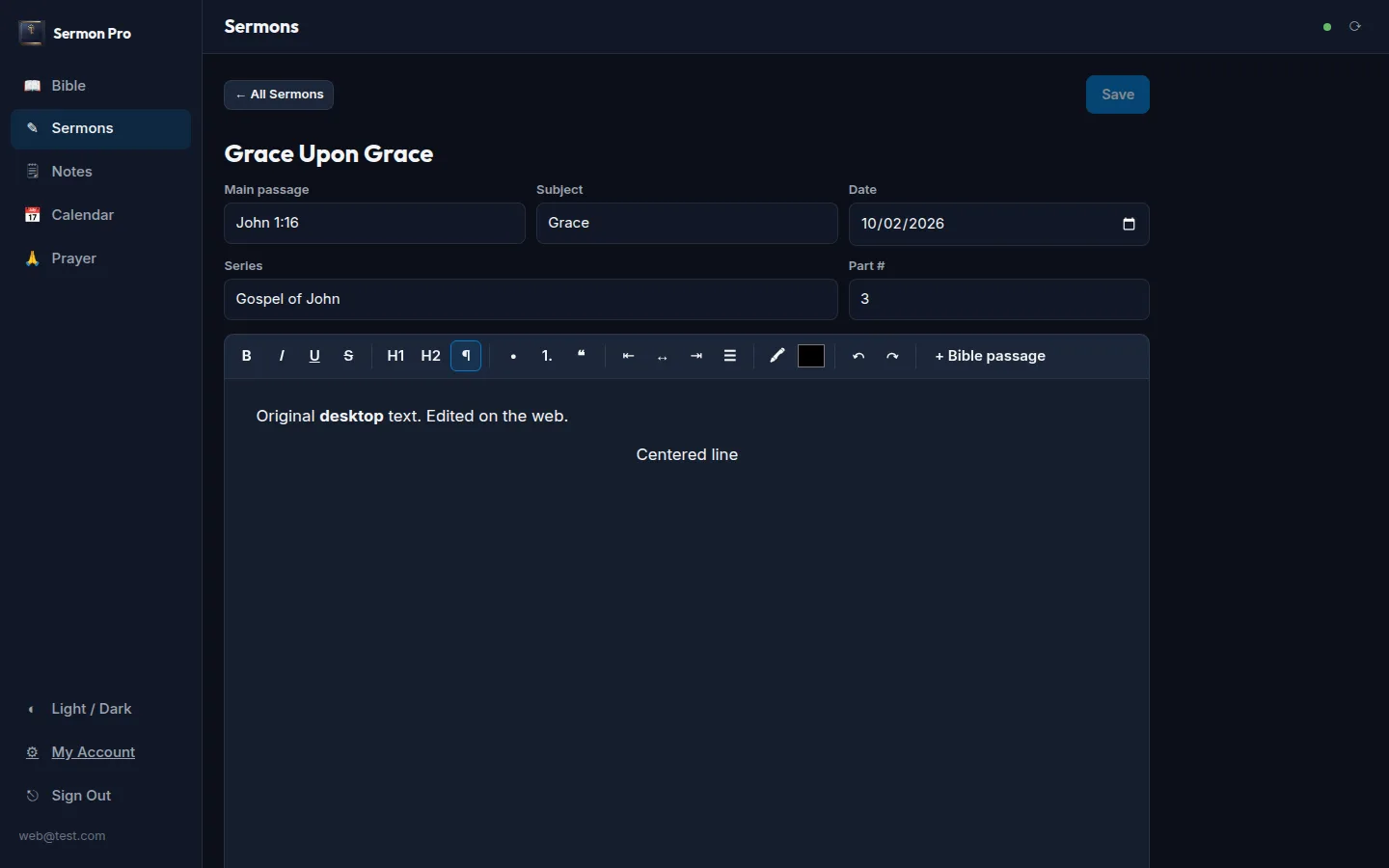
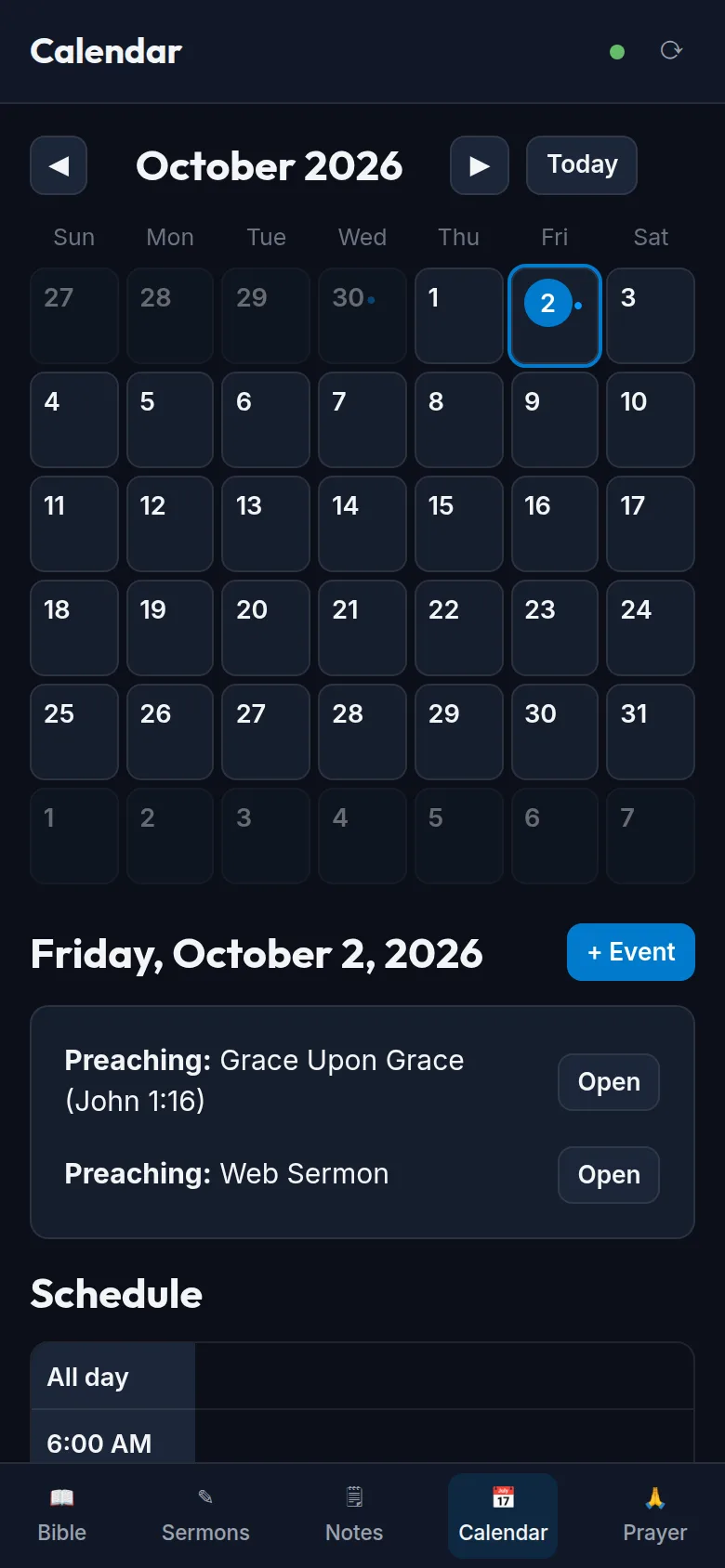
Away from your computer? Sign in at pastorssermon.pro/app from any browser, on a laptop, tablet or phone, and keep working:
- Edit your sermons, with the same title, passage, series and formatting, and insert Bible passages
- Read the Bible in the same translations as the app, and highlight and take notes
- Plan your week: calendar, events and the full Day Planner
- Keep your prayer list up to date
Everything you change online is waiting in the desktop app the next time it syncs, and the other way around. Nothing to install, and it's just as private: your data is decrypted only in your own browser.
Private by design
Everything is encrypted on your computer (or in your browser, for the online version) before it's uploaded, using a key made from your password. The sync server only ever stores scrambled data. It can't read your sermons, notes or prayer requests, and neither can we. That's also why your recovery key matters: if you forget your password and lose the recovery key, nobody can unlock your synced copy (the files on your computers are still yours).
One plan, everything included
Sync between all your computers and Pastor's Sermon Pro Online, for one price.
Monthly
Cancel any time
- Sync on all your computers
- Pastor's Sermon Pro Online
- End-to-end encrypted
Yearly
$7.20 a month, billed yearly (save 10%)
- Sync on all your computers
- Pastor's Sermon Pro Online
- End-to-end encrypted
Questions
What gets synced?
Everything Pastor's Sermon Pro keeps in your Documents/PSP folder: sermons and their slides, notes and highlights, the calendar, Day Planner, prayer requests, bulletins, reading plan progress, your library and your settings. Things that only make sense on one computer (window size, the local AI model) stay put.
What can I do in Pastor's Sermon Pro Online?
Write and edit sermons, read the Bible with your notes and highlights, manage your calendar, events and Day Planner, and keep your prayer list, all from a web browser on any computer, tablet or phone. Bulletins, slides, the library and the AI assistant stay in the desktop app for now. While a free trial is running you get the online version too; if syncing pauses, the online version becomes read-only.
How many computers can I use?
As many as you like with one subscription, and you can sign a computer out from any other one if it's lost or replaced.
What happens when the trial ends?
If you haven't subscribed, syncing pauses. Nothing is deleted from your computers, and you can still download your synced copy. Subscribe any time to pick up where you left off.
What if a payment fails or I cancel?
If a card is declined, sync keeps working for 14 days while it's retried; update your card in My Account. If you cancel, sync continues until the end of the period you paid for, then pauses. Your encrypted copy stays on the server for 90 days after that in case you come back, then it's deleted. Your computers keep everything either way.
How do I cancel or change my card?
Sign in to My Account and choose Manage Subscription. Payments are handled by Stripe, and you can cancel, switch between monthly and yearly, update your card and download invoices there.